 Loops House


Team
1 member- KIOwner
Kingsley nweze
Overview
Cobro is a non-custodial, wallet-based invoicing and FX settlement agent for freelancers and cross-border clients on Celo.
The problem
Freelancers often invoice clients in local currencies such as Nigerian naira, while clients hold stablecoins such as USDT or USDC.
The current process creates several problems:
- Clients may not hold the currency requested by the freelancer.
- Manual currency conversion creates friction and poor exchange rates.
- Freelancers must explain wallet addresses and payment instructions manually.
- Clients may need to use multiple exchanges or swap interfaces.
- Existing invoice tools usually do not intelligently compare FX routes.
- Custodial payment systems require users to deposit funds with a third party.
- Clients should not have to give their private key to an agent or backend.
- Freelancers need reliable notifications and a clear payment status.
The Cobro solution
Cobro lets a freelancer create an invoice in their preferred settlement currency while the client pays with USDT.
The Cobro agent automatically compares available Textile FX routes and selects the cheapest route that satisfies the freelancer’s accepted settlement currencies.
For example, if a freelancer creates a 1,300 cNGN invoice and accepts both cNGN and USDC, Cobro compares:
USDT → cNGNUSDT → USDCIt then shows the client:
- The estimated USDT cost for each route.
- The exact settlement output.
- Which route is cheapest.
- How much the client saves.
- The route selected by the agent.
End-to-end flow
1. User profiles
Both freelancers and clients connect their Celo-compatible wallet and create a username.
Cobro stores:
- Username.
- Wallet address.
- User role.
- Profile information.
The wallet is the user’s identity and settlement address. Cobro does not receive or store the private key.
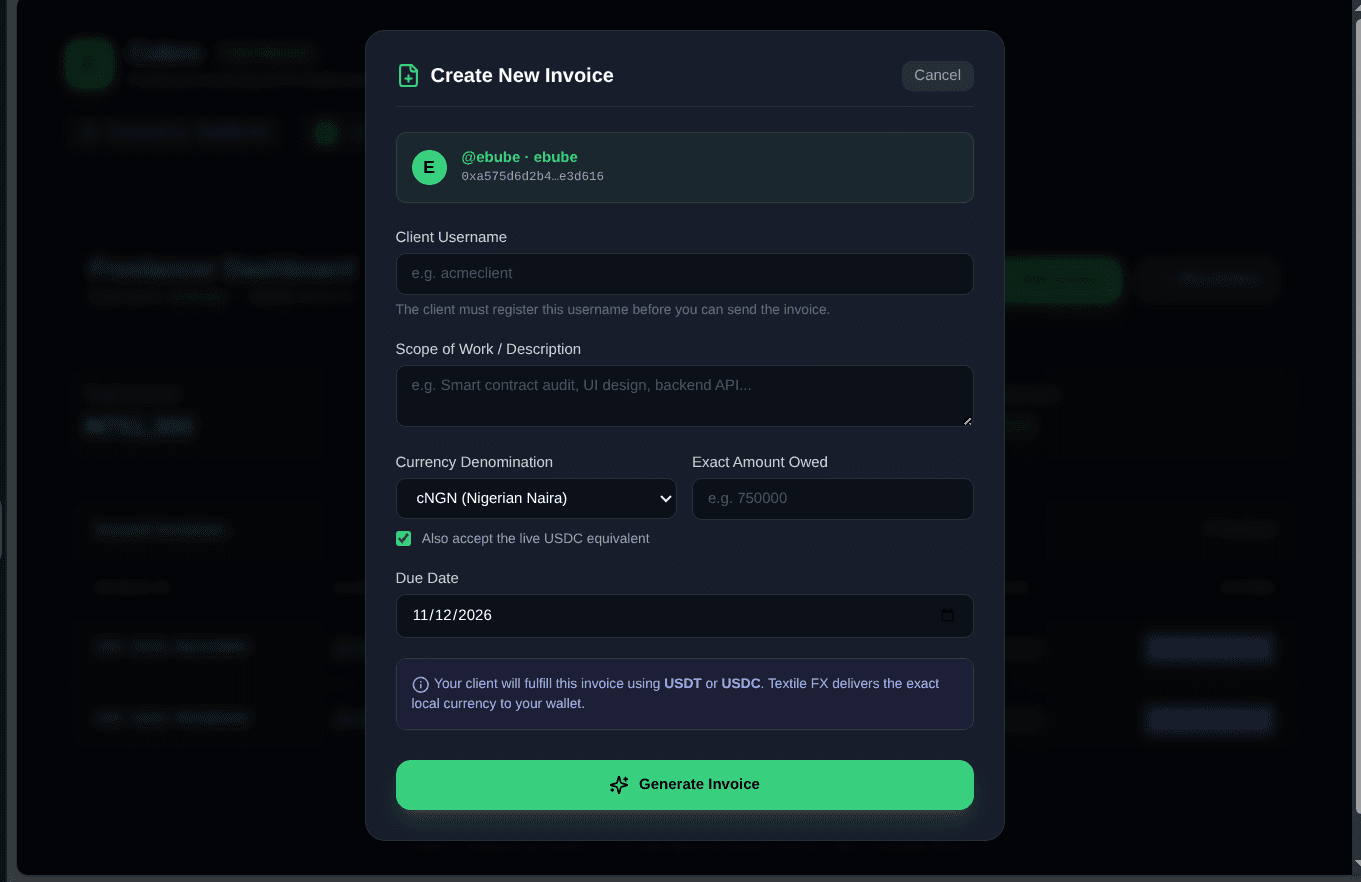
2. Freelancer creates an invoice
The freelancer:
- Connects their wallet.
- Selects a username.
- Enters the client’s username.
- Enters the work description.
- Enters the amount.
- Selects the settlement currency.
- Optionally accepts both cNGN and USDC.
The invoice is stored in the Postgres database.
3. Client notification
When the invoice is created:
- Cobro creates a notification for the client’s username.
- The client dashboard polls the notification endpoint.
- The client sees the new invoice after connecting the wallet.
- The invoice is scoped to the client’s wallet, so users do not see unrelated invoices.
4. Live FX analysis
When the client opens an unpaid invoice, Cobro requests live Textile FX previews.
The agent compares the accepted settlement routes and identifies the cheapest one.
The agent is not simply using a fixed exchange rate. It uses live Textile market quotes to make the decision.
5. Client approves the payment
The client connects their wallet on Celo Mainnet.
Cobro requests a firm Textile quote containing:
- The client wallet as the taker.
- USDT as the payment token.
- The selected settlement token.
- The freelancer wallet as the recipient.
- The exact amount to be delivered.
The backend returns unsigned transactions to the browser.
6. Client signs and pays gas
The client signs:
- The USDT approval transaction.
- The Textile FX swap transaction.
The client wallet pays Celo gas directly.
Cobro never receives the client’s private key and does not custody the client’s funds.
7. Textile settles the payment
Textile’s LimitOrderReactor executes the FX conversion.
The freelancer receives the exact requested settlement amount in their wallet, either:
- cNGN, or
- USDC.
The transaction is settled on Celo Mainnet.
8. Confirmation and receipt
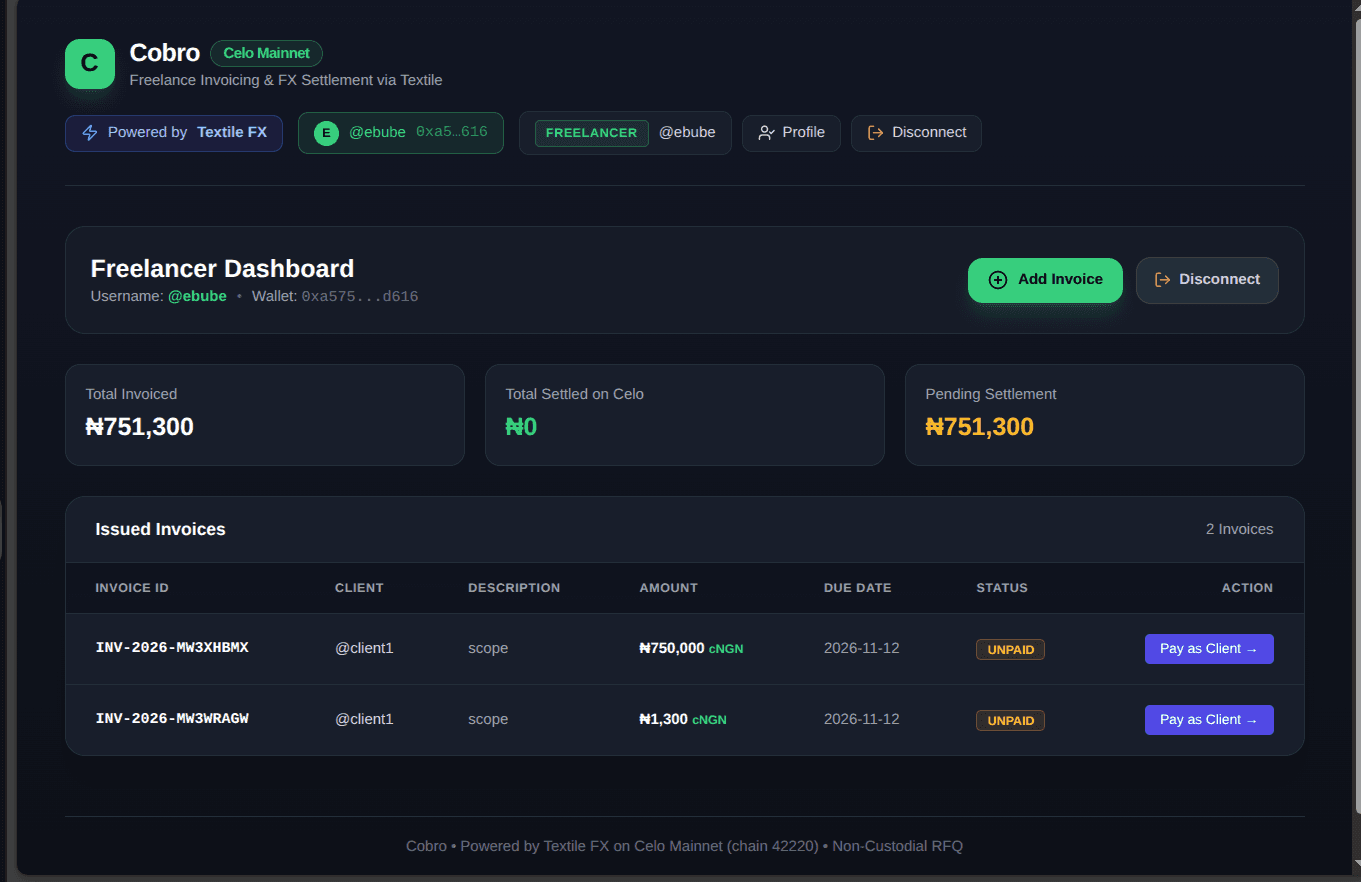
After the swap is confirmed:
- Cobro records the transaction hash.
- The invoice changes from
UNPAIDtoPAID. - The client sees the payment receipt.
- The freelancer can see the updated invoice status.
- The Celo transaction can be viewed on Celoscan.
What the agent actually does
Cobro is primarily an FX routing and settlement-orchestration agent.
It:
- Reads the invoice requirements.
- Checks the freelancer’s accepted currencies.
- Requests live Textile quotes.
- Compares the routes.
- Selects the cheapest valid route.
- Requests the firm quote.
- Gives the client wallet the exact transactions to sign.
- Tracks confirmation and updates the invoice.
The agent does not directly pay from its own wallet in the current non-custodial model. The client remains the transaction signer and gas payer.
Why this is valuable
Cobro combines invoicing, wallet identity, FX intelligence, notifications, and on-chain settlement into one flow.
The client does not need to:
- Own cNGN before payment.
- Manually compare FX providers.
- Send funds to an unknown intermediary.
- Share a private key.
- Manage complicated settlement instructions.
The freelancer does not need to:
- Manually negotiate the payment currency.
- Create separate invoices for every currency.
- Monitor multiple payment channels.
- Reconcile payments manually.
Celo and ERC-8004 identity
Cobro has an ERC-8004 identity on Celo Mainnet:
Agent ID: 10041 Registry: eip155:42220:0x8004A169FB4a3325136EB29fA0ceB6D2e539a432
This makes Cobro discoverable as an on-chain agent and describes its public services and capabilities.
For the hackathon, Cobro also needs the Celo ERC-8021 attribution tag so that transactions driven by the application can be credited to the project.
Important implementation scope
Cobro currently uses exact-output, client-signed Textile settlement. It does not hold client funds in an agent wallet or perform a separate “refund remaining balance” operation. The client approves only the exact amount required by the firm quote.
That makes the system safer and simpler:
Client wallet → exact USDT amount → Textile FX → exact freelancer settlement
Cobro’s core value is intelligent FX selection and non-custodial execution across Celo’s stablecoin corridors.